
Afro Bet Ethiopia app – mobile betting in your pocket
The Afro Bet Android app gives Ethiopian players full access to sports betting, Aviator crash games, slots and live dealer tables without opening a browser each time. One APK file, one tap to install, and your Telebirr or CBEBirr account is your wallet.


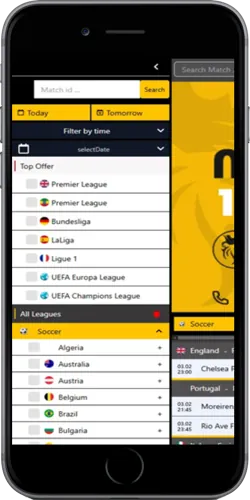
What you get with the Afro Bet app compared to the mobile browser
Most Ethiopian bettors already access Afro Bet through a browser on Android — but the dedicated APK makes a noticeable difference in day-to-day use. Pages load faster because the app caches resources locally, which matters on the kind of 3G connections common outside Addis Ababa. Push notifications alert you when a live match you have a bet on scores, and you can place in-play bets without the browser tab refreshing mid-action.
The browser version is fine for occasional players. But if you are betting on Ethiopian Premier League fixtures on a weekend evening, or cashing out an Aviator round with a multiplier above 3x, the half-second difference in load time actually changes decisions. The app removes that friction.
How to download and install the Afro Bet Ethiopia APK
Android is the dominant platform in Ethiopia — over 85% of smartphone users run Android according to regional device data, with popular budget models including Tecno Spark, Infinix Hot and Samsung Galaxy A series all running Android 10 or higher. The Afro Bet APK is compatible with Android 6.0 and above, which covers virtually every Android phone sold in Ethiopia in the last six years.
iOS users can access Afro Bet through the mobile-optimised browser version — bookmark it to your home screen and it behaves like an app without needing an App Store download.
- On your Android device, go to Settings → Security and enable "Install from unknown sources" or "Install unknown apps" depending on your Android version. On Samsung devices running Android 10+, this setting is per-app under Special App Access.
- Visit the Afro Bet partner site and tap the "Download APK" button. The file is typically 18–25 MB and downloads in under 30 seconds on a standard Ethio Telecom 4G connection.
- Open your file manager and navigate to the Downloads folder. Tap the APK file and select "Install".
- Once installed, tap "Open". Log in with your existing phone number and password, or register a new account directly in the app.
- Enable push notifications when prompted — this is optional but recommended for live betting and cashout alerts.
App technical requirements and system details
The table below covers the key specs for both Android and iOS access. Note that iOS does not have a native app — Apple's App Store policies restrict real-money gambling apps in most African markets, so the web app is the standard solution for iPhone users in Ethiopia.
| Detail | Android APK | iOS (web app) |
|---|---|---|
| Minimum OS version | Android 6.0 (Marshmallow) | iOS 13 or higher |
| File / install size | 18–25 MB | No install — bookmark only |
| Push notifications | Yes | Limited (iOS 16.4+ only) |
| Biometric login | Yes (fingerprint, face) | Yes (Face ID, Touch ID) |
| Download source | Partner site directly | No download required |
| Compatible devices | Tecno, Infinix, Samsung, Huawei | iPhone 8 and newer |
| Telebirr integration | Native in-app | Browser redirect |
| Auto-update | Prompt on launch | Always latest version |
Common issues Ethiopian players encounter with the APK install
The most frequent issue is the "install blocked" error, which means "Install from unknown sources" is not enabled for the file manager or browser you used to download the APK. The fix takes about 20 seconds: go to Settings → Apps → your browser or file manager → Install unknown apps → toggle on. This is a one-time setting.
A second issue is the APK download failing mid-way on slow connections. Players in Hawassa and Bahir Dar using 3G sometimes see this. The fix is to switch to a Wi-Fi connection if available, or to download using Ethio Telecom's 4G network during off-peak hours (typically before 8am or after 10pm). The APK file size is small enough that it downloads in one go on a stable connection.
If the app crashes on first launch, it is almost always a storage issue — Android requires roughly twice the APK size in free storage to complete installation. Clear some space, then reinstall. Players on Tecno Spark 8C and Infinix Hot 12 have reported this specifically when the phone storage is below 500 MB free.